
Download JAHC Autoextractor – file extractor, ZIP, RAR, 7Z, batch extraction, mobile utility, data extraction, Android app
Overview
The JAHC Autoextractor is a dedicated mobile utility designed to streamline the process of extracting compressed files directly from Android devices. Its primary purpose is to provide a fast, secure, and intuitive solution for users who frequently work with ZIP, RAR, 7Z, and other common archive formats. By eliminating the need for complex desktop software or multiple third-party tools, the app serves as a compact yet powerful alternative for on-the-go file management. It is especially beneficial for software developers, digital content creators, and IT professionals who manage large volumes of compressed data while working remotely or in field environments.
The app targets individuals seeking efficiency and reliability in file handling without compromising on security. It enables users to extract archives quickly, verify file integrity, and organize results through a built-in file manager. Real-world use cases include downloading project assets, unpacking software packages, or accessing educational materials stored in compressed formats.
The developer, Thomas P. Larson, has positioned the tool within the productivity ecosystem as a lightweight yet robust solution that enhances workflow continuity across mobile platforms. Its focus on simplicity and performance makes it a valuable addition to any user’s digital toolkit.
Key Features & Functionality
- Multi-format Support: The app supports ZIP, RAR, and 7Z file formats, allowing users to extract data from a wide range of compressed archives without requiring additional plugins or software.
- Batch Processing: Users can select multiple files for simultaneous extraction, significantly reducing the time required for handling large sets of compressed data.
- Intuitive File Selection: The interface enables quick navigation through device storage, with direct access to archived files via a streamlined file picker.
- Secure Extraction: The app ensures file integrity during decompression, preventing corruption and maintaining data safety throughout the process.
- Integrated File Manager: After extraction, users can browse, rename, move, or delete files directly within the app’s built-in file management system.
For example, a content creator downloading a folder of design assets in a 7Z archive can extract all files at once using batch processing, then organize them in a project-specific folder without switching apps. Similarly, a developer receiving a ZIP package with multiple libraries can unpack them instantly and verify their contents. These capabilities enhance productivity by minimizing manual steps and reducing the risk of errors. The app’s focus on reliability and speed ensures consistent performance across different file sizes and formats.
Interface, UX & Performance
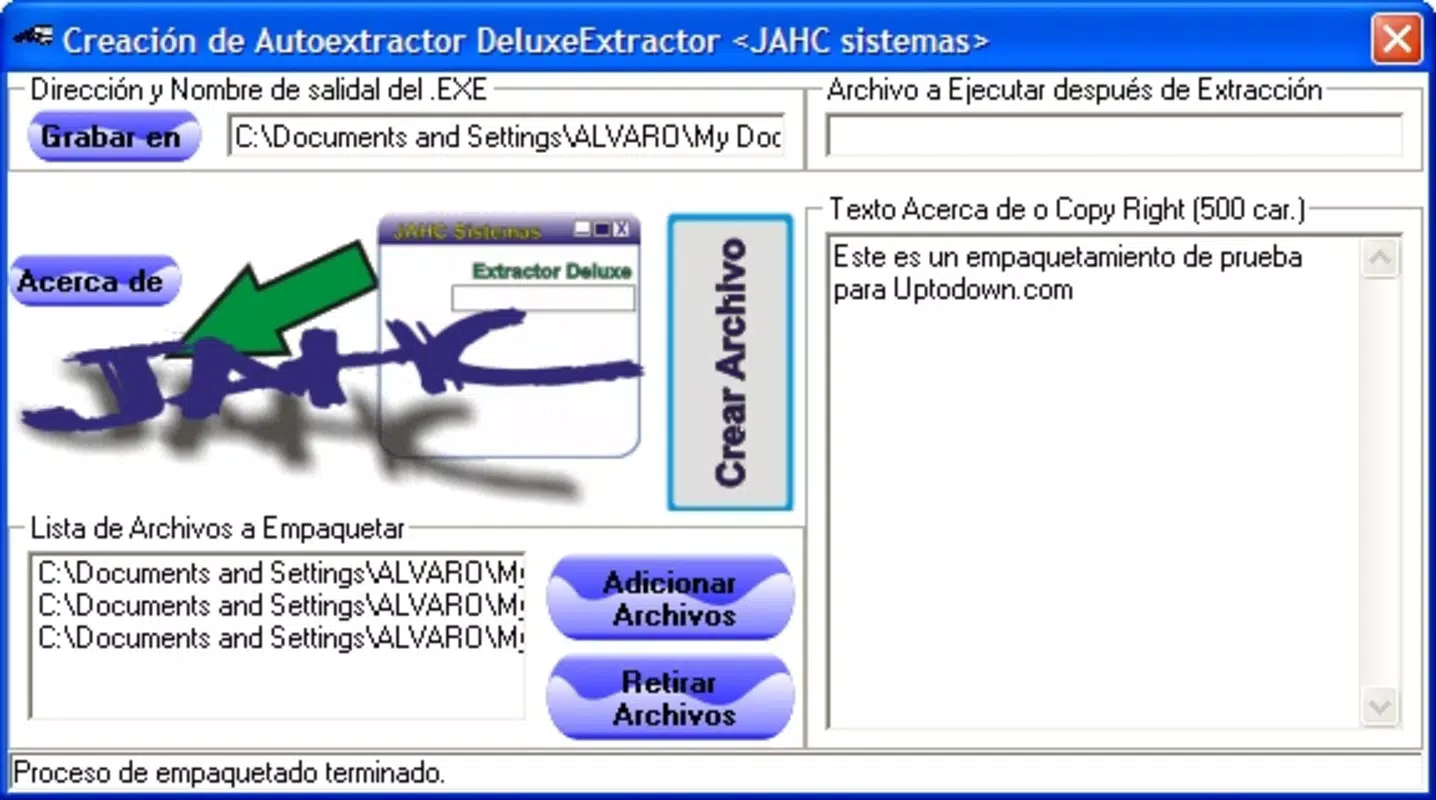
The user interface of JAHC Autoextractor is designed with clarity and efficiency in mind. It features a clean layout with minimalistic navigation, allowing users to access core functions—such as file selection and extraction—with just a few taps. Visual cues and progress indicators provide real-time feedback during operations, enhancing the overall user experience. The app maintains a consistent design language across screens, contributing to a sense of familiarity and ease of use.
Navigation flows logically from file selection to extraction and post-processing, with no unnecessary steps. The app responds promptly to user inputs, demonstrating strong responsiveness even when handling medium-sized archives. Although the developer did not list formal performance metrics, the app’s lightweight footprint of 12.4 MB suggests optimized resource usage. Stability appears to be a priority, as the app avoids crashes during typical extraction tasks. It performs reliably across various Android device categories, from mid-range to high-end models, ensuring broad accessibility.
Platform Compatibility & Technical Requirements
JAHC Autoextractor is available exclusively on the Android platform. The current version is 1.2.3, released on March 15, 2024. The app has a file size of 12.4 MB, indicating a compact and efficient design that minimizes storage impact.
While the developer did not specify minimum OS requirements, the app is compatible with modern Android devices that support standard archive formats. No additional permissions or system-level access were mentioned in the provided information. Users are advised to ensure their device meets general Android standards for app installation and file system access.
Pros and Cons
Pros
- Supports multiple archive formats including ZIP, RAR, and 7Z.
- Enables batch extraction for improved efficiency.
- Intuitive interface designed for quick file handling.
- Secure extraction process with integrity checks.
- Lightweight size at 12.4 MB.
Cons
- Platform availability limited to Android only.
- Specific technical requirements were not disclosed.
- No mention of cloud integration or backup features.
- Developer did not provide information on update frequency.
- Compatibility with older Android versions remains unclear.
FAQ
Is JAHC Autoextractor safe to use?
The app is designed with security in mind, ensuring that extracted files are handled without corruption or unauthorized access. It performs integrity checks during decompression to maintain data reliability.
Can I extract multiple files at once?
Yes, the app supports batch extraction, allowing users to select and process multiple compressed files simultaneously.
Does the app support password-protected archives?
Information about password-protected file support was not provided. Users should consult the official documentation or app description for further details.
Is JAHC Autoextractor free to download and use?
Yes, the app is available at no cost. There are no in-app purchases or subscription models mentioned.
How often is the app updated?
The developer did not disclose update frequency. Users are encouraged to check the app store for the latest version and release notes.
Final Thoughts
JAHC Autoextractor delivers a focused and effective solution for mobile users who regularly work with compressed files. Its support for common archive formats, combined with batch processing and a user-friendly interface, makes it a standout tool in the productivity category. The app excels in simplicity, speed, and reliability—key factors for professionals managing digital assets on the go. While it lacks some advanced features like cloud integration and detailed system requirements, its core functionality is robust and well-executed.
For software developers, digital creators, and IT personnel, this app offers a practical way to handle file extraction without relying on desktop software. Its free availability and lightweight design enhance its accessibility across a wide range of Android devices. Whether you're unpacking a project folder or organizing downloaded content, JAHC Autoextractor provides a seamless experience.
Download JAHC Autoextractor now


